

5. Operations with Variables
In this Unity Tutorial we will talk about “Access Modifiers”, how to implement them, and we will learn how to perform simple mathematical operations using “Variables” and “Constants”. Unity Tutorial Level: Beginner. 5.1 Access Modifiers. These “Modifiers” help us to define the accessibility that the Members of a Class will have (in other words, let us know who can see the Variables that we have created, or Methods, and so on). At this point, […]
4. Variables and Data Types
In this Unity Tutorial you will learn what “Variables” and “Constants” are, and the “Data Types” they can store (also, how to work with them within Unity and C#). Unity Tutorial Level: Beginner. 4.1 Variables and Constants. “Variables” and “Constants” can be defined as “computer memory sections reserved for storing data”. With “Variables”, the “stored data” can be known or not, fixed or changing (variable). With “Constants”, the “stored data” is fixed, known and […]
3. Knowing our Script
In this Unity Tutorial we will learn about the sections that set a Unity Script up, also we will know what a “Namespace”, a “Class”, an “Object” and “Methods” are (in order to get involved with the most common terms used when programming in C#). Unity Tutorial Level: Beginner. 3.1 Namespace. Let´s analyze our script “HelloWorld” (if you have doubts about how to create or open this file, you can see the previous post […]
2. “Hello World” in Unity
In this Unity Tutorial we will learn How to Create our First Code in “C Sharp (C #)” language and How to Execute it in Unity to Display the Famous Message “Hello World” 🙂 Unity Tutorial Level: Beginner. 2.1 Opening our Project. In the previous post (1. Setting the Environment), we created the Project “LearningCSharp” (in which we will be working during this tutorial series). In case you have closed the Project, here are […]
1. Setting the Environment
Before starting with the codes in C Sharp (C #), we will configure our Unity Editor Interface and thus ensure that we all see the same on the screen 🙂 Unity Tutorial Level: Beginner. 1.1 Creating a New Project. We are going to create a new Project in Unity: Open Unity in your computer. On the home screen, click on the “New Button”. In the “Project name” field, write the name that you like most […]
C# in Unity
In this Tutorial Series, we will learn step by step the Basic Concepts to Start Programming in “C Sharp (C #)” Language within Unity Engine 😀 Unity Tutorial Level: Beginner.
Installing Unity
In this tutorial series we will learn how to “Install” the “Unity” game engine in our computers, how to “Create” a “New Project”, we will take a look at the “Development Interface”, we will also see how to install “Visual Studio Code” and enable it as our default Code Editor in Unity; in other words “how to prepare Unity to start creating our own video games” 🙂 Unity Tutorials Level: Beginner.
2. Installing Visual Studio Code for Unity
Visual Studio Code is a great code editor and fully compatible with Unity. If you don’t know it and you want to start working with it; this little tutorial is for you 🙂 Unity Tutorial Level: Beginner. 2.1 Why Visual Studio Code? Due to the Unity’s announcement in which talks about “MonoDevelop” will no longer be the default code editor for the next releases of Unity game engine (see https://blogs.unity3d.com/en/2018/01/ 05 / discontinuing-support-for-monodevelop-unity-starting-in-unity-2018-1 /); those […]
1. First Steps with Unity
If you don’t know about the Unity Game Engine and want to start working with it; this little tutorial will be a great help for you 🙂 Unity Tutorial Level: Beginner. 1.1 Installing Unity Before installing Unity in your computer, make sure that it complies with the Unity system requirements; you can see these requirements at : https://unity3d.com/unity/system-requirements . Note: Unity does not talk too much about this topic; but in addition to the above requirements, […]
The New Store
We are pleased to announce: ¡¡The New “ACKOSMIC Asset Store” is Now Open!! 🙂 There you can find Resources to Speed your Projects (characters, backgrounds, environments, UI elements, and more) as well as Assets that Let you Learn Video Games Development Easily (game packages that include codes, animations, images, particles and more). ¡You can not miss it! VISIT THE STORE
How to Make Your Own Game Totally for Free
Develop a video game and making it fulfill the goal of “being played” by many people, can be an exhaustive and somewhat expensive task. Although if you and your team (or if you are “alone against the world”: p) are passionate about their respective activities, the “exhaustive” part will take second place, and starting from the fact that you have a computer and an internet connection, with this post we will make the “expensive” […]
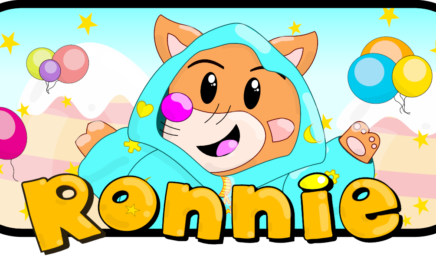
“Ronnie” the little fox
Ronnie is not older enough to go outside, but that doesn’t stop him from living great adventures and discover the amazing worlds that are hidden in his own room. As a good kid, Ronnie uses his toys and his imagination to guide you through fascinating places and having great time together! “Ronnie” was our first game published by ACKOSMIC Games (on November 2016 with a lot of entusiasm), with “Ronnie” we learned the […]